 Phinsh
Photo Collage Ideas: 25 Ways to Arrange Your Pictures
25 photo collage ideas: hearts, numbers, names, pet and map shapes, theme and wall ideas, with how many photos each needs and how to make one free.
Key takeaways
- The best photo collage ideas start with the story: a heart for family, a number for a birthday, a name, a map for a trip or your pet’s shape.
- Most shape collages look best with 30 to 60 photos. A pet shape works with 10 to 25, a single letter with 20 to 40.
- Mix close-ups with wide shots, keep faces near the middle of each photo and leave out near-duplicates.
- Phinsh packs any number of photos into nearly 400 shapes, plus your own text, on iPhone, Android and the web.
In this article
Start a photo collage with the story behind the photos, then pick the layout. A heart suits a family, a big number suits a birthday, a name suits a child’s room and a map suits a trip. Pick the shape first, gather 30 to 60 photos, and an app like Phinsh arranges them for you in a few minutes.
Below are 25 collage ideas grouped by what you are making the collage for. Each one says roughly how many photos it needs. The examples are real Phinsh collages made from one set of family photos.
Shape photo collage ideas
Shapes are the quickest way to make a collage look planned. The outline does the design work, so even ordinary snapshots read as one picture from across the room.
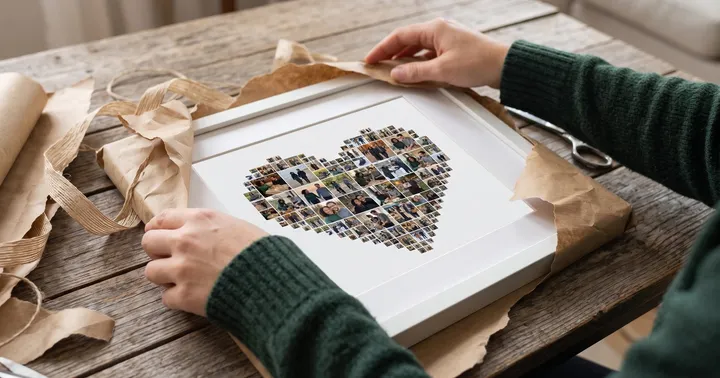
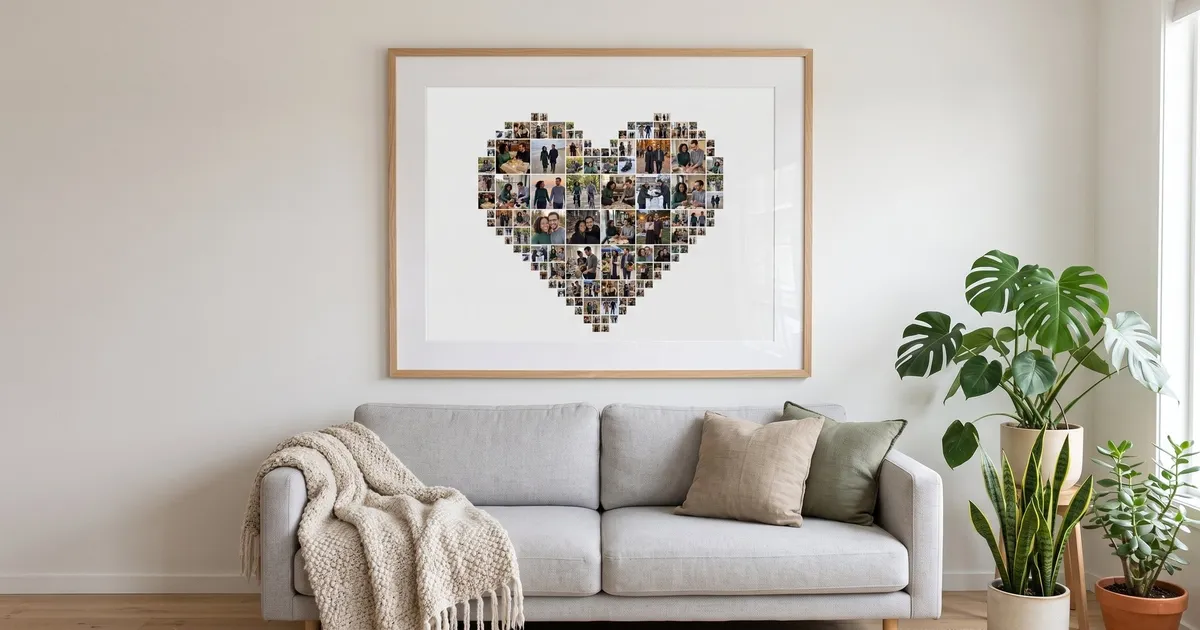
1. A heart of family photos
A heart filled with everyday family moments works for a living room, a grandparent’s gift or a wedding table. Use 30 to 60 photos and include a few where everyone is in the frame.

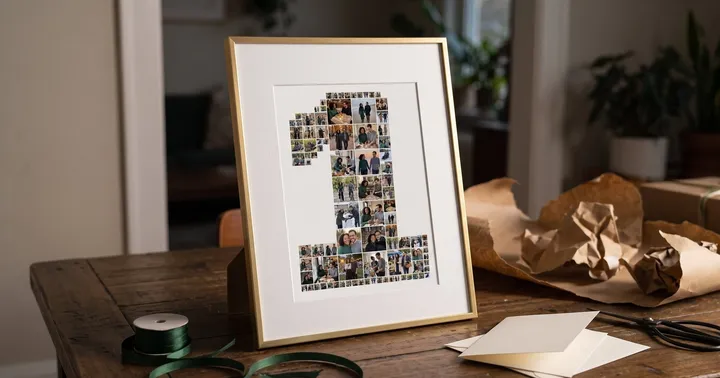
2. A number for a birthday
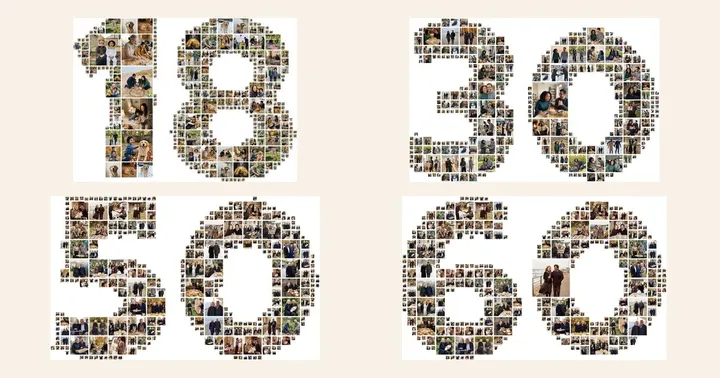
Type the age and fill it with photos from the past year, or one photo from every year so far. A number collage doubles as party decor and a keepsake. Two digits need more photos than one, roughly 40 to 80. Our number collage guide has more examples, and the birthday photo collage guide covers the 18th, 30th, 50th and 60th.

3. A name or initials
Short names and initials work best. Three to five letters stay readable; longer words get thin and busy. A name collage works on a child’s door or above a bed. In Phinsh you type the text and pick a bold font so the letters stay thick enough to hold photos.

4. A map of a trip
Fill the country you visited with photos from the trip. Phinsh has map shapes for countries such as Italy, Spain, Japan and the United States, for continents and for the whole world, so a round-the-world year can go into the globe.
5. Your pet’s shape
A dog, cat or paw print filled with photos of the pet is a favourite with pet owners and fits on a small print. You need fewer photos here, 10 to 25, because one pet usually fills the frame well.

6. A house for a new home
A house shape filled with photos from the move, the empty rooms and the first dinner makes a good housewarming gift. It also works for “our home” collages of the family at home through the years.

7. A shape that stands for a hobby
Make the shape about the person: a camera for a photographer, a football pitch for a player, music notes for a musician. If a shape you want isn’t in the app, Phinsh can turn your own image into a custom shape. We drew a camera with a heart-shaped lens for this example.

Unique photo collage ideas by theme
These ideas come from how you choose the photos, so they work with any layout, from a plain grid to a heart.
8. A year in photos
Pick one photo per month (12) or one per week (52). It turns a camera roll into a short story of the year and is a good January project.
9. One photo per year of a child
From the first photo to today, in order. Put it in their age as a number shape and it becomes a birthday collage too.
10. Then and now pairs
Pair an old photo with the same people in the same pose today. Siblings, parents and grandparents work well for this.
11. Same place, many seasons
The same tree, beach or front door in spring, summer, autumn and winter. It looks good as a simple grid of four or eight photos.
12. A colour-sorted collage
Sort photos by their main colour and let them run from red to blue. This works best as a grid where the order is easy to see.
13. Black and white with one colour photo
Turn every photo black and white except one, the moment that matters most. Convert the photos in your phone’s gallery editor first, then add them to the collage.
14. Hands, feet and small details
Baby feet, hands holding a cup of tea, a dog’s nose, a child’s first drawing. Close-ups of details make a calm collage without faces. The same approach works for a teacher’s gift: see our teacher gift ideas for a collage made from classroom objects and artwork.
Cute collage ideas for friends and family
15. A best-friends collage
Collect photos from every year of the friendship. Their initials, a heart or the year you met all work as the shape.
16. All the grandchildren for the grandparents
Ask each family for their favourite photos of the grandchildren and fill a heart or the word NANA. With several families this is easily 50 or more photos, and the collage holds all of them.
17. A pet’s life story
From the first day home to now, inside a dog or cat shape.
18. Siblings through the years
Photos of brothers and sisters together at every age. A two-letter shape of their initials looks tidy and stays readable.
Birthday collage ideas
19. A milestone age
For 18, 30, 40 or 60, fill the number with photos from every decade. Ask friends to send photos to get the full mix.
20. A party welcome board
Print a number or name collage large and put it on an easel at the entrance. After the party it goes on the wall.
21. First and latest birthday
Put photos from every birthday cake in order, from the first to this year’s, so the candles add up across the collage.
Photo collage ideas for your wall
22. One big poster
A single large collage of 60 or more photos fills the wall above a sofa or bed. For more layouts, gap sizes and print sizes, see our photo wall ideas.
23. A small gallery of shapes
Instead of one big print, hang three smaller shape collages together, for example a heart, the family initial and the dog.

24. Each family member’s initial in a row
One letter per person, each filled with their own photos, framed in matching frames.
25. The year in a number
Fill the year (2026) with that year’s best photos and hang it in the hallway. Make a new one every January.

How many photos do you need?
These are starting points from our own test collages. More photos make each one smaller; fewer make them larger.
| Layout | Photos | Good print size |
|---|---|---|
| Grid (3×3, 4×4, 5×5) | 9, 16 or 25 | A4 to poster |
| Heart, house, star | 30 to 60 | A4 to A3 |
| Single digit or letter | 20 to 40 | A4 to A3 |
| Two-digit number | 40 to 80 | A3 to poster |
| Name (3 to 5 letters) | 40 to 80 | A3 wide or poster |
| Pet or paw shape | 10 to 25 | A4 |
Phinsh has no photo limit, so you can go far beyond these numbers. If you add a lot of photos, export at a higher resolution so each photo still shows detail.
How to make a photo collage with Phinsh
- Open Phinsh on iPhone, Android or in your browser and choose a shape, a grid, or type a name or number.
- Add your photos. Phinsh packs them into the shape automatically, however many you add.
- Adjust photo size and spacing until the shape is clear and each photo is big enough to recognise.
- Pick a background colour or gradient, and swap or crop any photo that landed awkwardly.
- Export. Standard (1500px) is free and fine for sharing; High (3000px, PRO) is meant for prints up to A3; Ultra (6000px) is a separate purchase for large prints.
Phinsh doesn’t print or ship anything itself. Save the image and use any print service or local print shop. On an iPhone, see how to make a photo collage on iPhone for the built-in options and the steps with screenshots. For more shape inspiration see the shape collages gallery, or read how to make a heart shape collage in a minute.
Tips for choosing photos
- Mix close-ups and wide shots. Close-ups give the collage faces; wide shots give it places.
- Keep faces central. Shape collages crop the edges of photos, so faces near the middle survive.
- Drop near-duplicates. Five photos of the same moment look like a mistake when they land side by side.
- Use your sharpest photos. Each photo is small, but a blurry one still stands out.
- Plan for the gift. If the collage is a present, our photo collage gift ideas cover what to print it on. For couples, see the anniversary photo collage ideas.
Frequently asked questions
How do you make a photo collage?
Choose a layout or shape, pick 20 to 60 photos, then let a collage app arrange them. In Phinsh you choose a shape (or type a name or number), add your photos, adjust photo size and spacing, pick a background and export the image to share or print.
How many pictures do you need for a collage?
A simple grid works with 4 to 25 photos. Shape collages need more so the outline reads clearly: about 30 to 60 for a heart or house, 40 to 80 for a two-digit number, 20 to 40 for a single letter and 10 to 25 for a pet shape.
Is there a free app for photo collages?
Yes. Phinsh is free to download and use on iPhone, Android and the web. The free version includes 274 shapes, the Varsity Team font for text collages and 1500px export; PRO adds more shapes and fonts, 3000px export and removes ads.
How do you make a photo collage in a shape?
Use an app that fills a shape with photos automatically. In Phinsh you pick one of nearly 400 shapes (hearts, numbers, animals, maps and more), type your own text, or upload your own image to use as a custom shape, then add your photos.
What size should I print a photo collage?
A4 or A3 suits a desk or a small wall, and a poster suits a living room. As a rule of thumb, aim for about 300 pixels per inch at the final size for prints you see up close. Phinsh suggests its 3000px export (PRO) for papers up to A3 and 6000px (a separate purchase) for large prints.